
SquiggleEarly access
New · iPad app for ages 3–6

Where little hands
learn to draw, spell,
and write.

Squiggle is a warm, hand-drawn iPad app where kids pick a word, trace or copy a sketch, spell it letter-by-letter, then build their drawings into scenes and tiny stories. Calm, child-led play — no timers, no badges, no scores. Just space to focus, at their own pace.

No ads, everCOPPA-compliantWorks offline
Squig, the friendly Squiggle mascot, blinking gently
Hi! I’m Squig.
Want to draw something together?
drew her first cat
at age 4 🐱
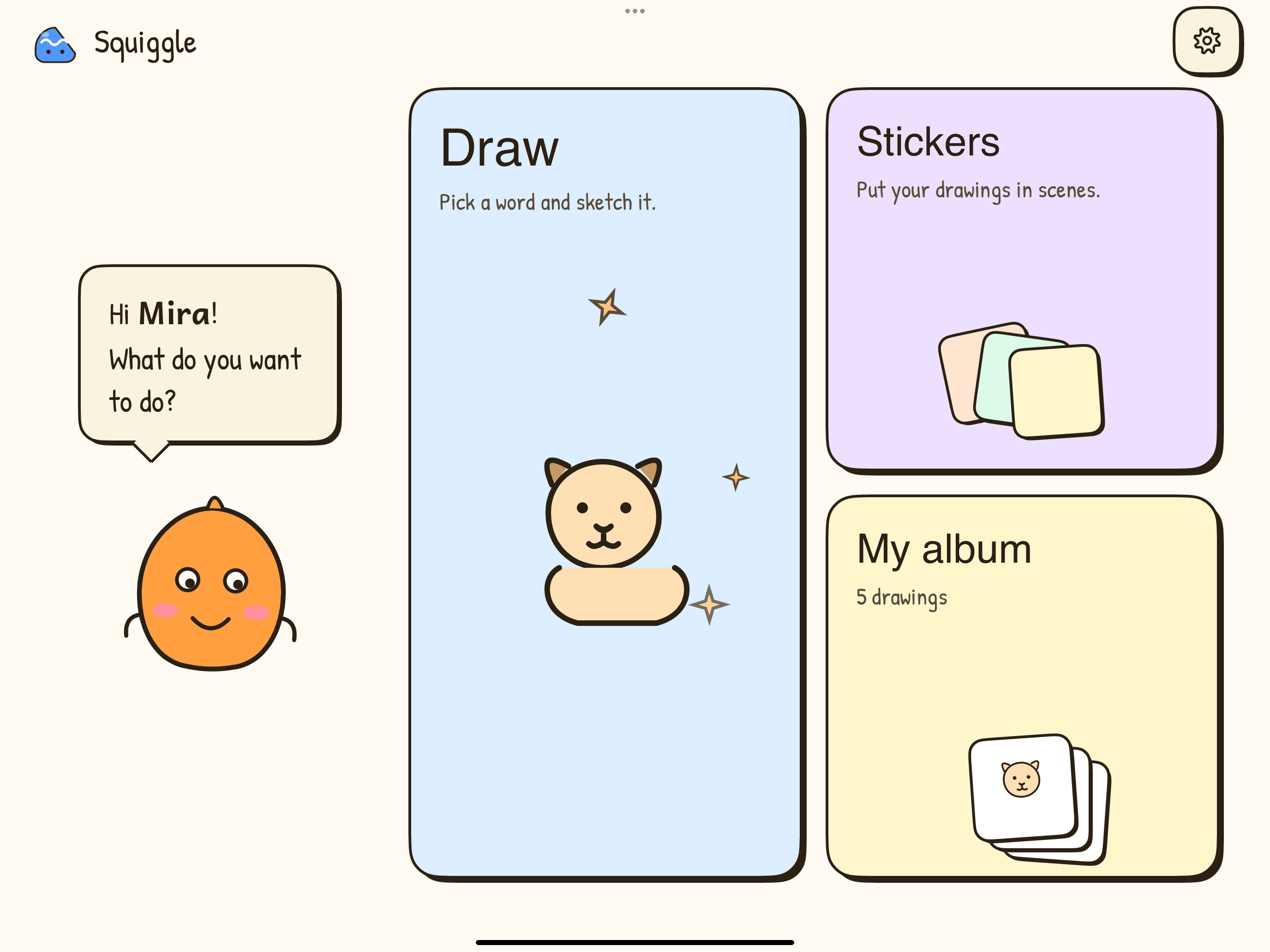
Squiggle home screen on iPad with Draw, Stickers, and My Album cards.
4 micro-apps in oneAge-tuned drawings 3→6Made for tiny fingers
how it works

The Squiggle loop

One gentle path from blank paper to a finished story. Four steps, in any order, all in the same warm, crayon-on-paper world.

01

Pick a word.
Then draw it.

Tap a word like “dog” and Squiggle sketches a friendly version — simpler if your child is 3, more detailed at 6. Trace the ghost lines, colour inside the outline, or peek at a pinned reference.

  • Trace — the sketch sits ghosted under the page.
  • Outline — the outline stays behind your strokes for free colouring.
  • Look up — keep the reference pinned at the top.
  • Eight crayon colours. One eraser. No menus.
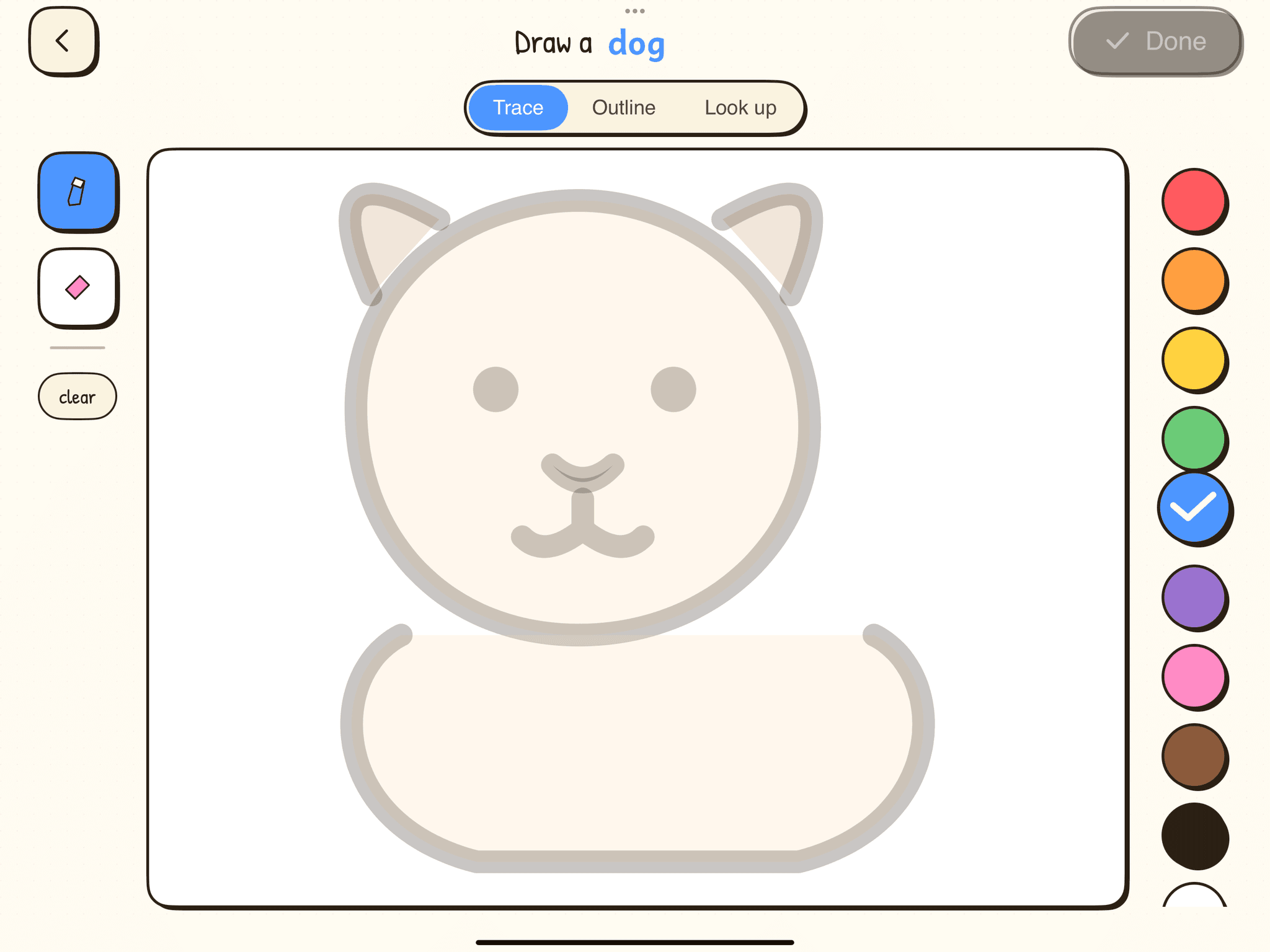
Drawing canvas with a ghosted dog sketch ready to be traced, a row of crayon colours on the right, and a Trace / Outline / Look-up toggle at the top.
trace mode — “draw a dog”
02

Spell it,
tile by tile.

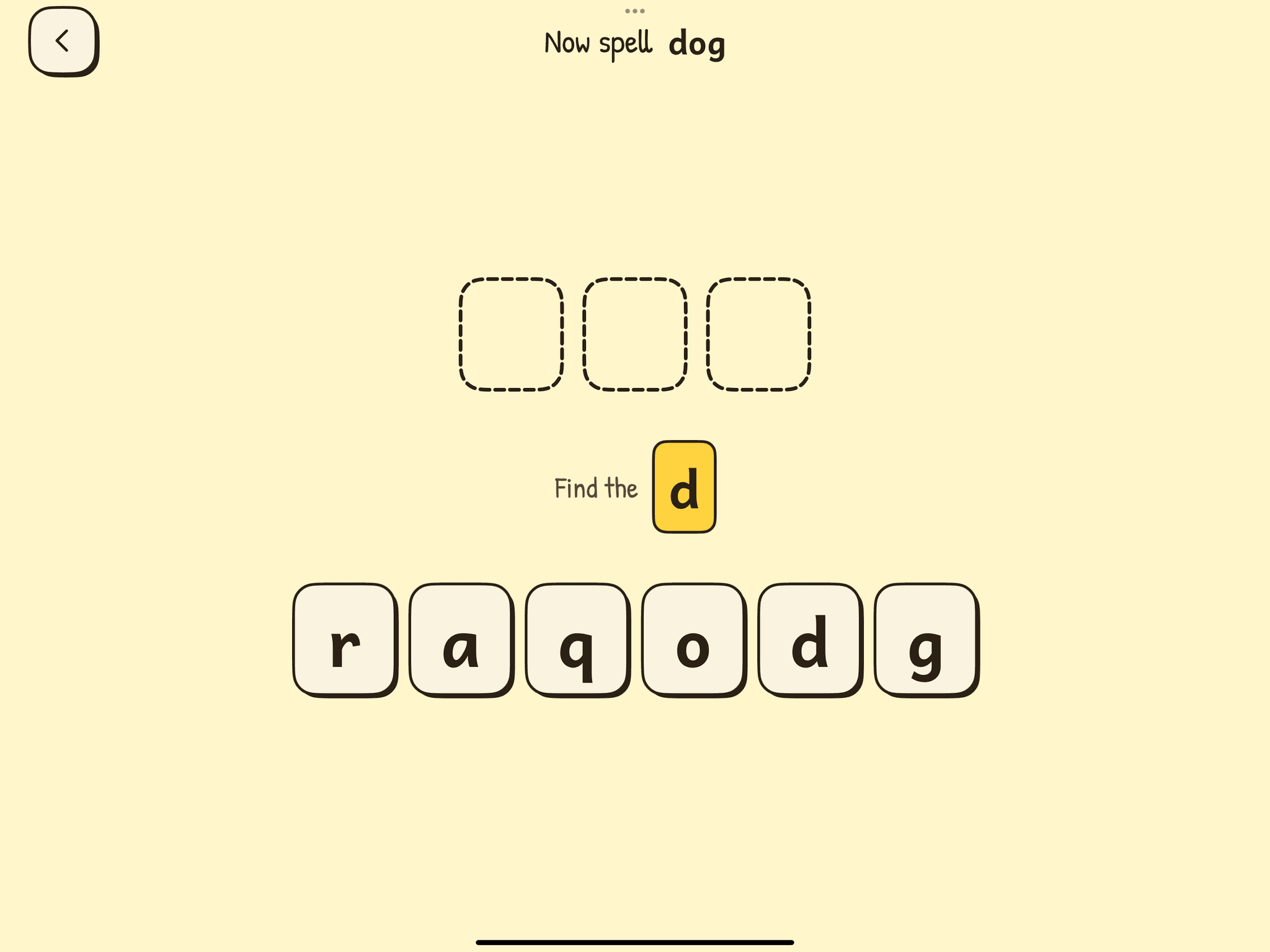
The word from the drawing comes back as three blank slots. Squiggle calls out one letter at a time — your child finds it among the jumbled tiles and taps to place it.

  • One letter at a time — never overwhelming.
  • Tap-the-right-letter or drag tiles into slots.
  • Wrong tile? It wobbles. We never flash red.
  • Letters use Andika — designed for pre-readers.
Three blank dashed letter slots above a row of letter tiles r, a, q, o, d, g — the d is highlighted as the next letter to find.
spelling mode — “now spell dog
03

Now write it,
letter by letter.

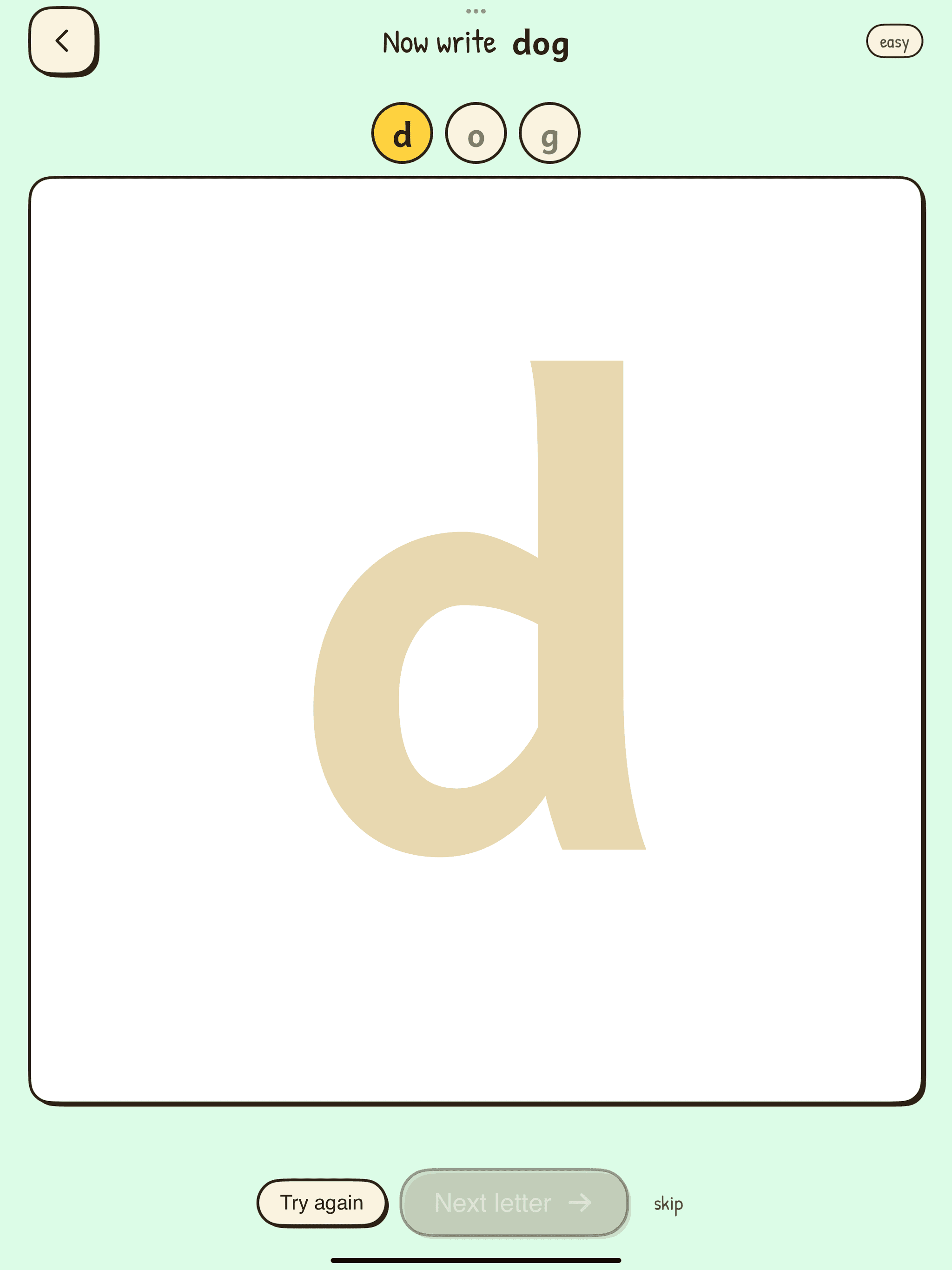
Once a word is spelled, Squiggle invites your child to write it. Each letter appears huge, in literacy-safe Andika, ready to trace. An “easy” mode adds stroke-order dots; tap it off when they’re ready.

  • Big, friendly letterforms — built for tracing.
  • Stroke-order guides toggle on and off.
  • Encouragement at every letter, not at the end.
  • Skip any letter — Squiggle never blocks the fun.
A huge lowercase d fills the canvas in pale yellow, with the letters d, o, g pinned at the top. Below the canvas: Try again, Next letter, Skip.
writing mode — “now write d
04

Build a scene.
Tell a story.

Every drawing your kid finishes becomes a sticker in their album. Drag stickers onto a scene — a meadow, a kitchen, the moon — and Squiggle quietly turns the arrangement into a tiny story it reads back aloud.

  • Stickers grow with the album — one drawing, one sticker.
  • Six starting scenes; new ones added every month.
  • Squiggle reads the scene back: “The dog is by the house.”
  • Save the scene as a card you can print.
what's inside

Built like a sticker book, not a dashboard.

Six things that make Squiggle feel different the second you open it.

Age-tuned drawings

Set the child’s age and every sketch adapts: chunkier lines and bigger shapes at 3, finer detail and more strokes at 6.

Literacy-safe letters

Letters appear in Andika — designed for new readers, with the single-story a and g kids are taught to write.

One thing on screen

No drawers, sidebars, or settings cogs. Each view answers one question: pick a colour, draw the dog, spell the word.

Scenes & stories

Drawings become stickers. Stickers go on scenes. Squiggle reads the result back as a sentence — a child’s first storytelling.

Works offline

Drawing, spelling, writing, and scenes all run on-device. No “connecting…” spinners. Bring it to the cabin.

Made for tiny hands

Every tap target is 72 pixels or larger. The “draw” button is the size of a graham cracker. Big buttons, small wins.

why squiggle

Not just another drawing app.

Drawings tuned to your kid’s age
Squiggleyes
Typical appone-size-fits-all
No ads or third-party trackers
Squigglenever
Typical appusually plenty
Teaches spelling and writing, not just colouring
Squigglebuilt-in
Typical appdrawing only
Builds scenes and tiny stories
Squiggleyes
Typical appno
Looks like a sticker book, not a SaaS dashboard
Squigglepaper feel
Typical appglossy gradients
One choice per screen — no menus to get lost in
Squiggleyes
Typical apptoolbars everywhere
for parents

The grown-up stuff.

We’re parents too. Squiggle is the kids’ app we wanted on our own iPads.

Zero data on your kid

No personal info. No analytics on the child profile. Drawings stay on the iPad unless you back them up.

Screen-time you’ll feel good about

Set a daily limit per child. When the bell rings, Squiggle wraps things up gently — never mid-stroke.

COPPA-compliant by design

Built to the U.S. Children’s Online Privacy Protection Act. No accounts required to start drawing.

Parent dashboard

Pop the cog open with a long-press. See what your kid drew this week, adjust age, change limits, sign out.

pricing

Simple. Honest. Crayon-priced.

Start free. Upgrade when you want more words, more scenes, and more children on the same iPad.

Free

$0forever
  • 1 child profile
  • 40 starter words to draw and spell
  • Trace, copy, and freehand modes
  • 2 scenes for storytelling
  • All eight crayon colours
Start free

No card required.

★ most loved

Family

$6.99/ month
  • Up to 3 child profiles
  • Unlimited words from the growing curated library
  • All 12+ scenes, with new ones each month
  • Album backup & printable scene cards
  • Parent dashboard with screen-time controls
Try Family free for 14 days

Or $49/year — save ~40%. Cancel any time.

questions

Things parents always ask.

Be one of the first
to hand a kid a Squiggle.

Early access opens this autumn. Drop your email and we’ll send a single invite when there’s a TestFlight slot for you.

No spam. One email when your slot is ready.